QR Codes For Funeral Slideshows And Memorial Photo Sharing
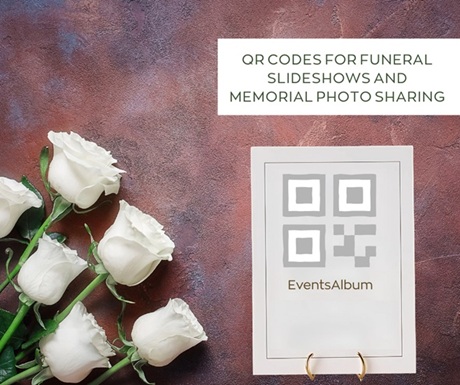
Photos can play a significant role in an event commemorating the life of someone who has passed away.
While taking pictures at funerals isn’t the done thing, a slideshow can provide a connection with a loved one who is no longer with you. It can even have a part in the grieving process. So it’s quite common to display rolling images of key moments from the life of the person who’s being remembered.
Images help break taboos and encourage more frank conversations around death. Equally, for those who couldn’t attend in person, if they receive the photos displayed, it can be very comforting.
Pictures add a personal touch, and are often very powerful in remembering the person, especially if you incorporate some music as you share the memories. Mostly, such slideshows last between three and eight minutes, showing each shot for a few seconds, with gentle transitions from one image to the next.
To make your display of images meaningful, aim to narrate a cohesive story of the person’s life through your choices of pictures and music, while bearing in mind technical considerations and logistics.
Here are some more pointers:
- Ask those who were closest to the loved one to supply a varied range of shots, capturing different interests, key moments in their life and summing up their most important relationships, plus the impact they had on others.
- If you’re organising an occasion like this on behalf of the family, clearly be sure that showing images is what they want.
- It makes sense to display images chronologically if you can, to help narrative flow.
- Choose images which show the deceased’s personality, to help those attending remember them as the unique person they were.
- Add captions sparingly – after all, as they say, a picture is worth a thousand words. You don’t need much, if anything, in the way of special effects.
- Talk to the venue or funeral directors in advance about any technical aspects of your display.
Using a QR code to coordinate funeral photos
QR codes link to an online photo album or memorial page and allow people to upload images in one virtual place. You can print the code on the order of service, welcome sign or easel, table card or similar on the day, along with clear instructions.
If you wish, you could combine these shots with your own pre-prepared slideshow, perhaps displayed during the ceremony. You may also want to be clear that it the code shouldn’t be used for live photos in the same way a wedding QR album might be.
EventsAlbum makes it easy to share images at an occasion like a funeral or memorial. Simply ask people to bring any photos they want to share on their smartphones.
Set up your event on our website in seconds and create a QR code to your online photo album. Guests then scan the QR code during the gathering after the service or ceremony and upload all the images they want without having to create an account or download an app.
You can then show these photos in a rolling live gallery as soon as they’re uploaded, making people feel involved, and bringing them together to remember the person at what is, of course, a sad occasion. You also have the opportunity to approve images before they’re shown, which could be important at a sensitive moment.
Later on, download all images in high resolution and share digitally if you wish with everyone was there, plus those who couldn’t attend. We offer unlimited storage for up to a year, during which time you can access them at your leisure and convenience.
No one ever wants to have to organise a funeral. But engaging everyone in showing photos of and remembering someone who’s no longer around can be really comforting.
Try a free qr code demo or get in touch if you have any queries. Call 01252 958 214 or email [email protected].